

REST API enricher
reference Facts, options, APIs
On this page
- Add REST API enricher
- View properties added by REST API enricher
- Samples for specific services
- Sample (V1)
- Sample (V2)
- Helper functions
This article explains how to add the REST API enricher. The purpose of this enricher is to retrieve data from a wide variety of endpoints. It provides a flexible way to integrate diverse data sources into your golden records.
This enricher is intended for users who are comfortable writing JavaScript code, as scripting is required to customize request and response handling.
Add REST API enricher
The REST API enricher requires the URL of an external endpoint to retrieve data. You can use JavaScript to customize request construction and response processing for precise control over data extraction. You can find basic examples of JavaScript code in the Sample (V1) and Sample (V2) sections of this page, and ready-made scripts for specific external services in REST API enricher samples.
To add REST API enricher
-
On the navigation pane, go to Preparation > Enrich. Then, select Add Enricher.
-
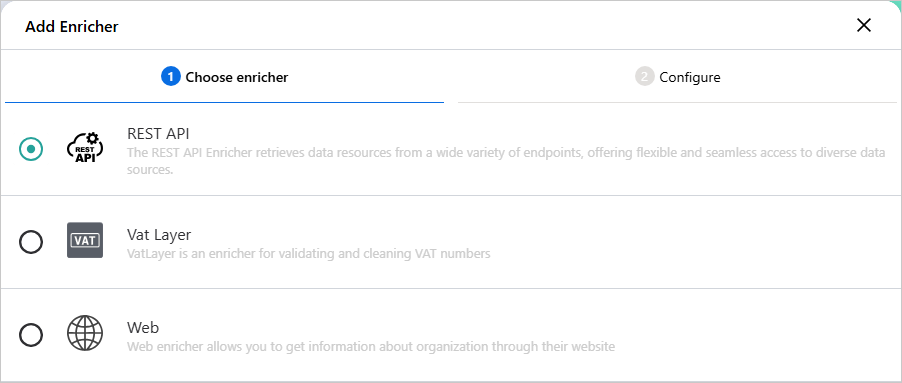
On the Choose Enricher tab, select REST API, and then select Next.
-
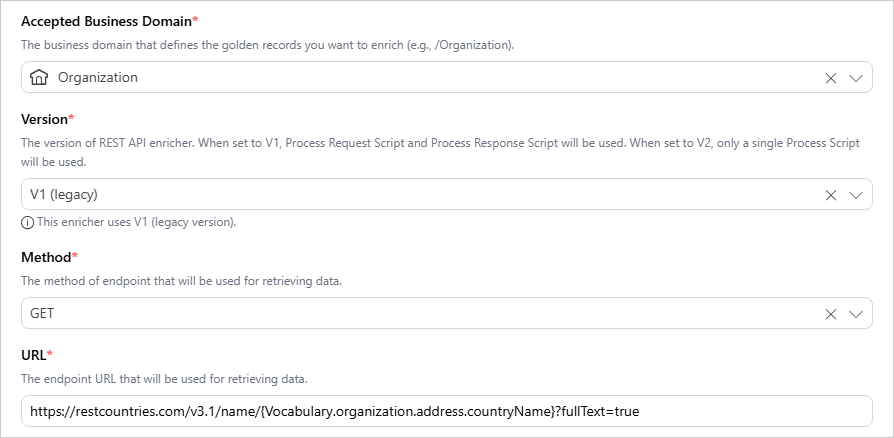
On the Configure tab, provide the following details:
-
Accepted Business Domain – enter the business domain to define which golden records will be enriched.
-
Version – select the version of REST API enricher.
-
Method – available only in V1. Select the HTTP method (GET or POST) that will be used to retrieve data.
-
URL – available only in V1. Enter the URL of the external endpoint. This can be:
-
An external API endpoint (for example, DuckDuckGo) that returns data directly to the enricher, where it is processed using the Process Response Script.
-
A service endpoint (for example, Power Automate, Jupyter Notebook, or a Cloud Function) that acts as a wrapper for external APIs. These endpoints can call external APIs, process the responses internally, and return the final result to the enricher.
You can use placeholders in URL to dynamically insert values at runtime:
-
{APIKey}– this placeholder will be replaced by the actual API key value provided in API Key. -
{Vocabulary:vocabularykey}– this placeholder will be replaced with the value of the specified vocabulary key from the golden record. For example, if the URL contains{Vocabulary:trainingcontact.country}and the golden record contains"trainingcontact.country": "Norway", the placeholder will be replaced withNorway.
-
-
API Key – enter the API key required to authenticate with the endpoint, if applicable. Provide this only if the API requires a key for access. Use
{APIKey}in URL (V1), Process Request Script (V1) and Process Script (V2) and the place holder will be replaced by actual API Key value provided. -
Headers – available only in V1. Enter any HTTP headers needed to call the endpoint. Enter one header per line in the format
Header-Name=value. -
Vocabulary and Properties – enter the vocabulary keys and properties to include in the request payload, with one entry per line. These will be passed to the endpoint to retrieve the relevant data.
-
Process Request Script – available only in V1. Provide the JavaScript code used to construct or modify the request before it is sent to the external endpoint. You can find an example of the process request script in the Sample scripts section of this page.
-
Process Response Script – available only in V1. Provide the JavaScript code used to process the response returned from the external endpoint. This script is required to transform the API response into a format that the enricher can understand and use. You can find an example of the process response script in the Sample scripts section of this page.
-
Process Script – available only in V2. Provide the JavaScript code used to request and process the response returned from the external endpoint. This script is required to transform the API response into a format that the enricher can understand and use. You can find an example of the process response script in the Sample scripts section of this page.
-
Include Confidence Score – decide whether the results will include a confidence score, which can be used during data processing.
-
-
Select Test Connection to make sure the enricher is properly configured, and then select Add.
The REST API enricher is added and has an active status. This means that it will enrich relevant golden records during processing or when you trigger external enrichment.
After the REST API enricher is added, you can modify its details:
-
Settings – add a user-friendly display name, select the description for data coming from the enricher, and define the source quality for determining the winning values.
-
Authentication – modify the details you provided while configuring the enricher.
View properties added by REST API enricher
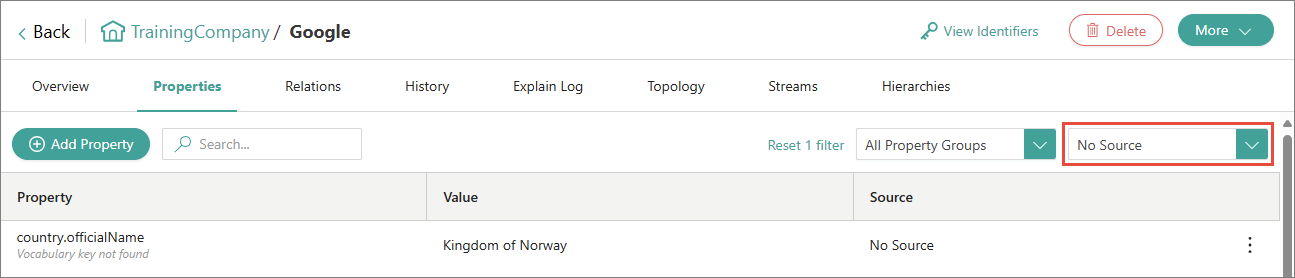
You can find the properties added to golden records from the REST API enricher on the Properties page. The vocabulary keys added to golden records by the REST API enricher are grouped under No Source source type.
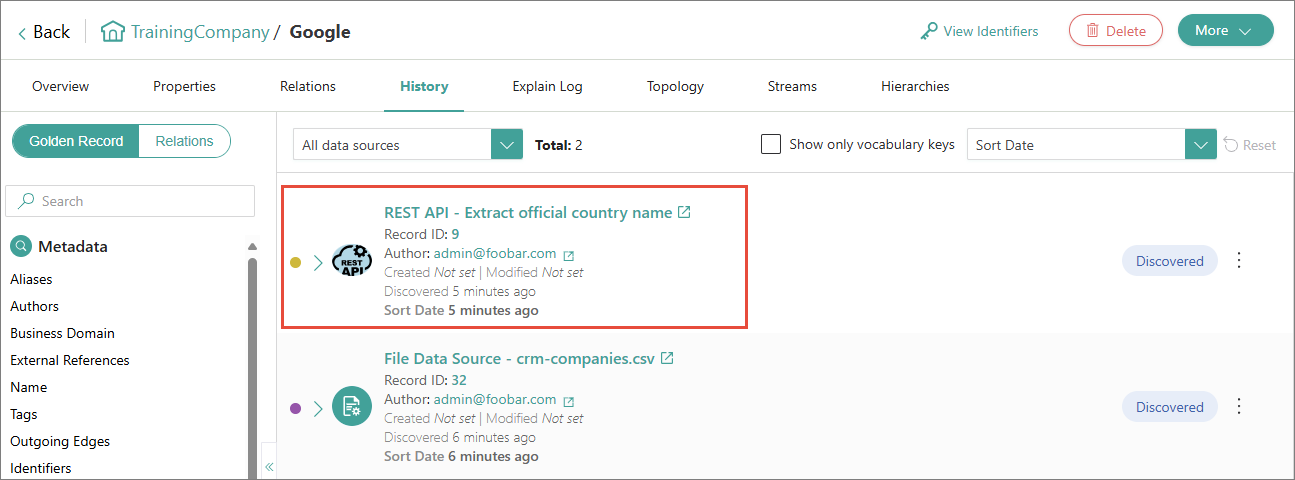
For a more detailed information about the changes made to a golden record by the REST API enricher, check the corresponding data part on the History page.
Samples for specific services
Ready-made settings and scripts for specific external services are in REST API enricher samples, with one page per service. The samples for Azure OpenAI, DuckDuckGo, REST Countries, Melissa, AddressBase (OS Places), Logo.dev, and Dun & Bradstreet that used to be on this page are now there, along with VIES (EU VAT validation).
Sample (V1)
This section provides some sample configuration and scripts that you can use to configure the V1 REST API enricher.
Sample process request script
// sample request that can be accessed in the script
//  let request = {
//     ApiKey: "testApiKey",
//     Url: "testUrl",
//     Headers: [
//        { Key: "TestHeader", Value: "123"}
//     ],
//     Body: {
//        Properties: [{Key: "organization.name", Value: "CluedIn"}]
//     }
//   };

// Add Header
request.AddHeader("TestHeader2", "456");

let detailsArray = [];
request.Body.Properties.forEach((x) => {
  detailsArray.push(x.Value);
});

// Update Body that will be sent to external api
request.Body = {
  names: detailsArray,
};

//modified request
//  let request = {
//      ApiKey: "testArray",
//      Url: "testUrl",
//      Headers: [
//          { Key: "TestHeader", Value: "123"},
//          { Key: "TestHeader2", Value: "456"}
//      ],
//      Body: {
//          name: ["CluedIn"]
//      }
//  };
Sample process response script
//  Sample response that returned from external api to enricher
//    const response = {
//        HttpStatus: "OK".
//        Content: "{\"fullName\": \"CluedIn ApS\"}",
//        Headers: [
//            { Key: "Connection", Value: "keep-alive"},
//            { Key: "Content-Type, Value "application/x-javascript"}",
//        ],
//    };

let parsedContent = JSON.parse(response.Content);
let newContent = {
  "organization.fullName": parsedContent.fullName,
};

// Data must be returned in the following format to be processed by enricher
// Score can be assigned with external api response
response.Content = JSON.stringify([{ Data: newContent, Score: 0 }]);

// Sample response after executing the script
//    const response = {
//        HttpStatus: "OK",
//        Content: "[{\"Data\":{\"organization.fullName\":\"CluedIn Aps\"}, \"Score\":0}]",
//        ContentType: "application/x-javascript",
//        Headers: [
//            { Key: "Connection", Value: "keep-alive"},
//            { Key: "Content-Type", Value: "application/x-javscript",
//        ],
Accessing and modifying request and response objects in process request and response scripts
| Name | Type | Description |
|---|---|---|
request | Request | The current HTTP request object that can be modified during script execution. |
originalRequest | Request | The original, unmodified HTTP request for reference purposes. Available in Process Response Script. |
response | Response | The response from external endpoint that can be populated or modified by the script. |
vocabularies | Property[] | The list of vocabularies and properties from enricher configuration. |
Request
| Property | Type | Description |
|---|---|---|
Method | string | The HTTP request method (e.g. GET, POST). |
Url | string | The target URL for the HTTP request. |
Headers | Header[] | List of HTTP headers included in the request. |
ApiKey | string | API key used for authenticating the request. |
Body | object | The body content of the HTTP request. |
| Method | Signature | Description |
|---|---|---|
addHeader | addHeader(key: string, value: string): void | Adds a new header to the request. |
Response
| Property | Type | Description |
|---|---|---|
HttpStatus | string | The HTTP status code of the response (e.g. 200 OK). |
Content | string | The raw response body content. Must be converted into a string value with the Result type when returned to the enricher for processing. |
ContentType | string | The response content type (e.g. application/json). |
Headers | Header[] | List of HTTP headers included in the response. |
Header
| Property | Type | Description |
|---|---|---|
Key | string | Header name. |
Value | string | Header value. |
Property
| Property | Type | Description |
|---|---|---|
Key | string | Property name. |
Value | string | Property value. |
Result
| Property | Type | Description |
|---|---|---|
Data | object | Key-value data extracted from the response. Each key represents a vocabulary key. |
Score | number | A numeric score indicating the relevance or confidence of the results. |
Sample (V2)
This section provides some sample configuration and scripts that you can use to configure the V2 REST API enricher.
Sample process script
// companies.country vocabulary key added to Vocabulary and Properties field can be accessed using .find
const country = vocabularies.find((x) => x.Key === "companies.country")?.Value;
const url = `https://restcountries.com/v3.1/name/${country}?fullText=true`;

// usee http.send() to make an API call
const countryResponse = http.send({
  url: url,
  method: "GET",
  // sample headers and body
  // headers: [
  //   {Key: 'Content-Type', Value: 'application/json'},
  //   {Key: 'Authorization', Value: `Bearer ${token}`}
  // ],
  // body: { name: 'testName' }
});

log(JSON.stringify(countryResponse));

let parsedContent = JSON.parse(countryResponse?.Content);
let results = {
  "country.officialName": parsedContent[0]?.name?.official,
};

response = JSON.stringify([{ Data: results, Score: 100 }]);
Helper functions
You can use the following helper functions in your scripts to facilitate common tasks.
Logging
| Function | Signature | Description |
|---|---|---|
log | log(value) | Writes a message to the application log at Information level. Useful for debugging scripts. |
Example:
log("Processing response from API");
String Encoding
| Function | Signature | Description |
|---|---|---|
toBase64 | toBase64(value: string): string | Encodes a UTF-8 string into Base64 format. |
fromBase64 | fromBase64(value: string): string | Decodes a Base64-encoded string back to UTF-8. |
urlEncode | urlEncode(value: string): string | Encodes a string for safe use in a URL. |
urlDecode | urlDecode(value: string): string | Decodes a URL-encoded string. |
Example:
// use stringEncoder object
var encoded = stringEncoder.toBase64("hello");
var decoded = stringEncoder.fromBase64(encoded);
Cache
| Function | Signature | Description |
|---|---|---|
get | get(key: string): object | Retrieves a cached value for the current organization. Returns null if not found. |
set | set(key: string, value: object, expiration: number): void | Stores a value in cache with an expiration time (in milliseconds). Does nothing if the key already exists. It is recommended to use getOrSetValue or getOrSetFactory instead, as they use distributed locks to prevent race conditions. |
getOrSetValue | getOrSetValue(key: string, value: object, expiration: number): object | Returns the cached value if it exists; otherwise, stores the provided value with the given expiration time (in milliseconds) and returns it. |
getOrSetFactory | getOrSetFactory(key: string, factory: function, expiration: number): object | Returns the cached value if it exists; otherwise, calls the factory function to produce the value, stores it with the given expiration time (in milliseconds), and returns it. |
Example:
// use cache object (using )
var token = cache.get("authToken");

if (!token) {
  token = "new-token";
  cache.getOrSetValue("authToken", token, 60000);
}
Http (V2)
| Function | Signature | Description |
|---|---|---|
send | send(request: object): Response | Sends an HTTP request based on the provided request object and return the response. Refer to request Request and Response Type |
Example:
const tokenResponse = http.send({
  url: `https://plus.dnb.com/v2/token`,
  method: "POST",
  headers: [
    { Key: "Content-Type", Value: "application/json" },
    { Key: "Authorization", Value: `Basic ${base64}` },
  ],
  body: { grant_type: "client_credentials" },
});